KFC Canada Ordering Guide – How to Order KFC Canada?
Welcome to the KFC Canada Ordering Guide. How to Order KFC Canada Online and Save Money with the App (2026 Guide)? If you have ever stood in a KFC drive-thru line for 15 minutes while someone in front was still deciding, you know the pain. Ordering online through the KFC Canada app or website fixes that and saves you money at the same time.
This guide walks you through every step: downloading the app, placing your order, finding the best deals, and getting the most value from the KFC Canada menu without overspending. In case you are a first-timer or just did not know half these tricks existed, there is something useful here for you.
Why Order KFC Online Instead of Walking In?
Most people still order in-store out of habit. But once you try the app or website, it’s hard to go back. Here’s why:
| Feature | In-Store / Drive-Thru | KFC App / kfc.ca |
|---|---|---|
| App-exclusive deals | ❌ | ✅ |
| Weekly rotating offers | ❌ | ✅ |
| Enter promo codes | ❌ | ✅ |
| Schedule your order ahead | ❌ | ✅ |
| Browse full menu with prices | Limited | ✅ |
| Digital payment (Apple Pay, etc.) | Varies | ✅ |
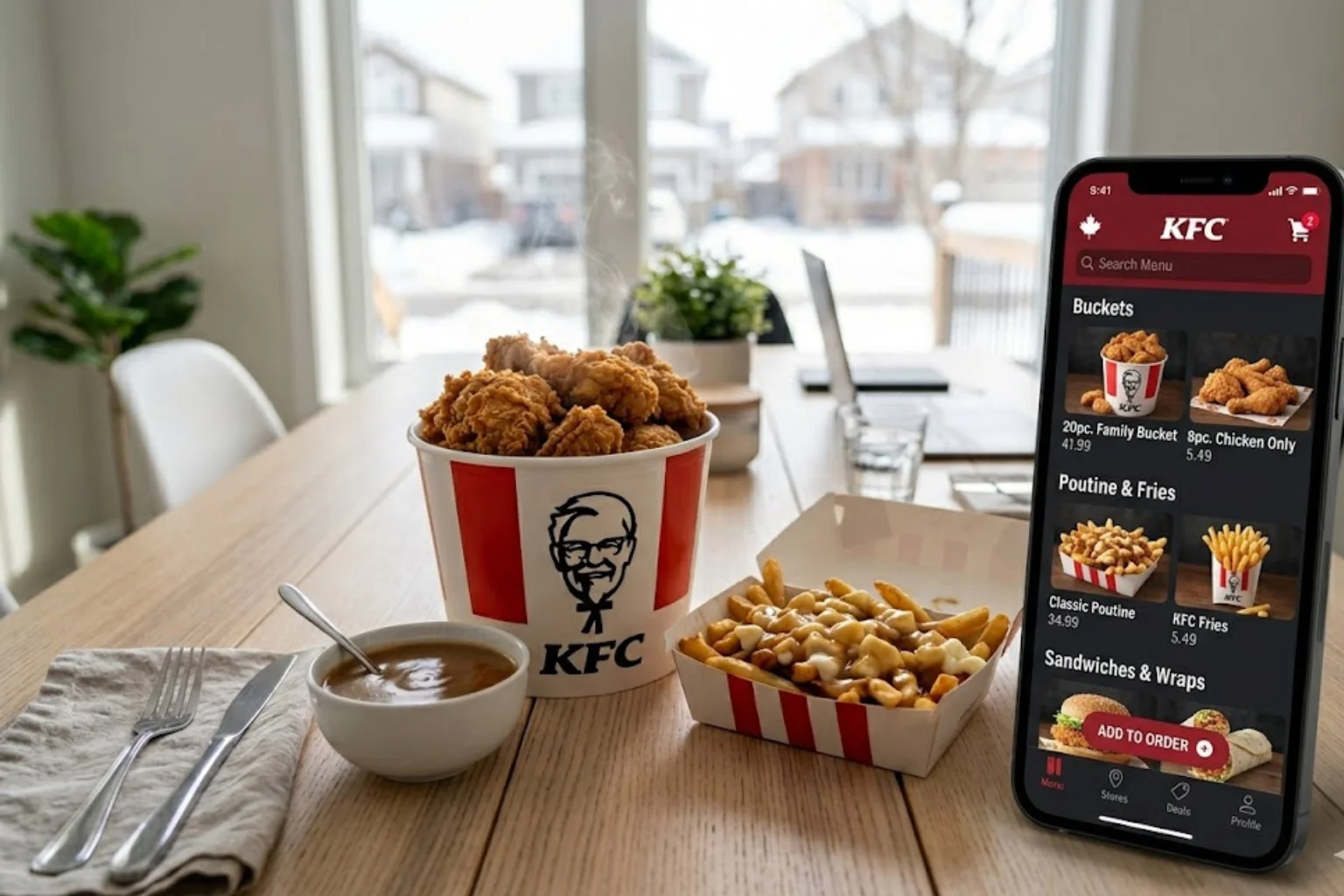
The biggest reason? App-only deals. Offers like discounted sandwich combos and bucket deals are only available when you order through the KFC app you would not see them at the counter. For full menu pricing and current items, always cross-check with the KFC menu with prices before placing your order.
How to Download and Set Up the KFC Canada App
Where to Get the App
The KFC Canada app is free and available on both platforms:
- Android: Google Play Store (search “KFC Canada“)
- iOS: Apple App Store (search “KFC Canada”)
The app has over 52,000 ratings on the App Store with a 4.4-star average so it’s well-tested and reliable for everyday use.
How to Create Your KFC Account (Step-by-Step)
You can order as a guest, but creating a free account gives you access to saved addresses, order history, and member-only deals. Here’s how to set it up:
- Open the app after installing it
- Tap “Sign Up” and enter your email address
- Create a password and verify your account
- Turn on location access so the app finds your nearest KFC outlet
- Head to the “Deals” tab before doing anything else
How to Order KFC Canada Online Step-by-Step
Ordering Through the KFC Canada Website
If you prefer a desktop or do not want to use the app, the website works just as well:
- Go to kfc.ca
- Click “Order Now” at the top of the page
- Enter your postal code or city to find a nearby KFC location
- Choose Pickup or Delivery
- Browse the menu check the Deals section first
- Add items to your cart
- Enter your promo code at checkout (if you have one)
- Pay by credit or debit card and confirm
Tip: The Exclusive Online Deals section on our site is updated regularly. Check it before you order you will often find offers that aren’t advertised anywhere else.
Ordering Through the KFC Canada App
The steps are basically the same, but the app gives you a bit more:
- Open the app and sign in
- Select your nearest KFC location
- Go to the “Deals” tab first this is important
- Add your items to the cart
- Choose Pickup or Delivery
- Apply any promo code at checkout
- Pay and track your order in real time
Scheduling Orders in Advance
Both the app and the website let you place an order now and choose a pickup or delivery time later. This is great if anyone are planning a family dinner or a lunch order before you leave the office. Not all locations support this, so check availability when you select your store.
KFC Canada Delivery What Are Your Options?
Direct Delivery via KFC App or kfc.ca
This is usually the best route. You pay KFC directly, fees are lower, and you get access to the app’s exclusive deals. Enter your address when you open the app if your area is covered, you’ll see the delivery option automatically.
Third-Party Delivery Platforms
If your local KFC outlet does not offer direct delivery, these platforms usually cover the gap:
- Uber Eats Search “KFC” in the app, enter your address, and order
- DoorDash Same process; check delivery time estimates before confirming
- SkipTheDishes Also available in many Canadian cities
| Platform | App-Exclusive Deals | Delivery Fees | Best For |
|---|---|---|---|
| KFC App | ✅ Yes | Low or none | Best overall value |
| kfc.ca website | ✅ Yes | Low or none | Desktop ordering |
| Uber Eats | ❌ No | Higher | Convenience |
| DoorDash | ❌ No | Higher | Convenience |
| SkipTheDishes | ❌ No | Higher | Convenience |
One important note: prices on third-party apps are sometimes higher than what you would pay directly through KFC. Always compare before you commit.
How to Save Money When Ordering KFC Canada Online
This is the section most people come here for and honestly, it’s where the real value is.
1. Use the App for App-Only Deals
The KFC Canada app has weekly rotating offers that are not available in-store or on any third-party platform. These change regularly, but common examples include discounted Sandwich Combos and reduced pricing on larger bucket orders. Check the “Deals” or “Promos” tab every week offers are updated frequently and only last for a limited time.
For the latest active offers, visit our KFC Coupons Guide we keep it updated as new promotions go live.
2. Order Big Box Meals and Bucket Deals for Better Value
Ordering individual items separately usually costs more. The Big Box Meals and KFC Buckets sections bundle food together at a better per-item price sometimes saving you up to 25% compared to ordering à la carte.
- Big Box Meals Great for one or two people, includes a main, sides, and drink
- Bucket Deals Best for families or group orders; price per piece drops significantly
Always click these sections in the app or on kfc.ca before building your order manually.
3. How to Enter a KFC Canada Promo Code
A lot of people don’t know where to enter a promo code so they skip it and pay full price. Here’s exactly how it works:
- Add your items to the cart
- Proceed to checkout
- Look for the “Coupon Code” or “Promo Code” field
- Type or paste your code and tap “Apply”
- The discount shows in your order total before you pay
Important: You can only use one promo code per order. Bundle deals (like Big Box Meals) apply automatically, so you may still be able to stack a single promo code on top of those.
4. Where to Find KFC Canada Coupons in 2026
- KFC Canada app Best source; deals are updated weekly and are app-exclusive
- kfc.ca Deals section Online-only offers, no code needed sometimes
- Email newsletter Sign up on kfc.ca to get coupons directly in your inbox
- Physical mailers Regional coupon sheets sent to Canadian households
- Third-party coupon sites Sites like Bargainmoose or DontPayFull list current codes
- Seasonal promotions Black Friday and Cyber Monday often bring significant discounts
For a full breakdown of current deals, our KFC Coupons Guide has everything organized in one place.
5. Don’t Overlook the KFC Value Menu
If you are ordering on a tighter budget, the KFC Value Menu is worth checking. Items like the Snacker Wrap start around $3.59 solid food for the price. It’s also a smart option if you are adding a couple of extra items to a group order without blowing the budget.
6. Sign Up for the KFC Email Newsletter
It’s free, and you get coupons and early notice of limited-time offers sent directly to you. Sign up on kfc.ca there is usually a signup prompt on the homepage or in the footer.
KFC Canada App Tips Most People Miss
These are the small things that make a real difference:
- ✅ Check the Deals tab before picking your food deals should shape your order, not the other way around
- ✅ Enable push notifications you’ll get alerts when new weekly offers drop
- ✅ Save your delivery address in the app so repeat orders take 60 seconds
- ✅ Use the app even for pickup you still get app-exclusive pricing
- ✅ Deals are location-specific if a deal isn’t showing, check a nearby KFC location
- ✅ Schedule orders during off-peak hours to avoid delays at busy outlets
- ✅ Always compare the app price vs. Uber Eats before choosing your platform the gap is often $3–$5 or more
Frequently Asked Quetions (FAQs)
Quick Checklist Before You Place Your KFC Canada Order
| Step | Why It Matters |
|---|---|
| Open the KFC app first, not Uber Eats | App deals give you the best price |
| Check the Deals tab before adding anything | Weekly offers change don’t miss them |
| Browse Big Box Meals and Bucket sections | Best per-item value on the menu |
| Enter your promo code before paying | Can’t apply it after checkout is complete |
| Confirm delivery availability for your address | Not every KFC outlet delivers directly |
| Check your nearest outlet’s hours | Hours vary by location and day |
Conclusion
Ordering KFC Canada online is not complicated it just takes knowing where to look and which steps to follow. The KFC app is your best tool for saving money, with deals that you genuinely won’t find anywhere else. Pair that with the Big Box Meals, bucket bundles, and a promo code when you have one, and you will almost always spend less than you would walking in cold.
For everything you need to make a smart KFC order in Canada from the full KFC Canada menu and updated prices to the latest promotions kfcmenucanada.com has it in one place. Our KFC Coupons Guide is updated regularly so you’re never using an expired deal. Our Blogs section covers ordering tips, menu updates, and seasonal offers worth knowing about.
If you have questions or spot something outdated, the Contact Us page is always open and we read everything. You can also check the About Us page to understand how we gather and verify the information we publish, and our Privacy Policy and Terms and Conditions pages cover how this site works and how your information is handled.
Prices and deals mentioned in this article are based on publicly available information and may vary by location. Always confirm current pricing on the official KFC Canada website (kfc.ca) or your local KFC outlet before ordering.